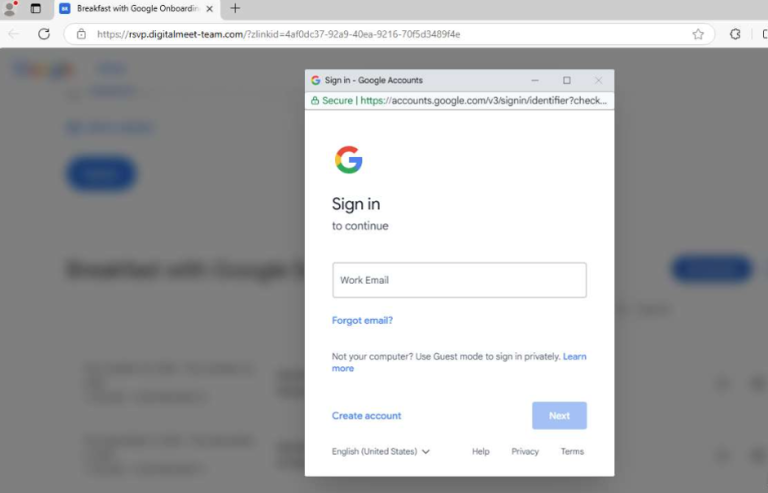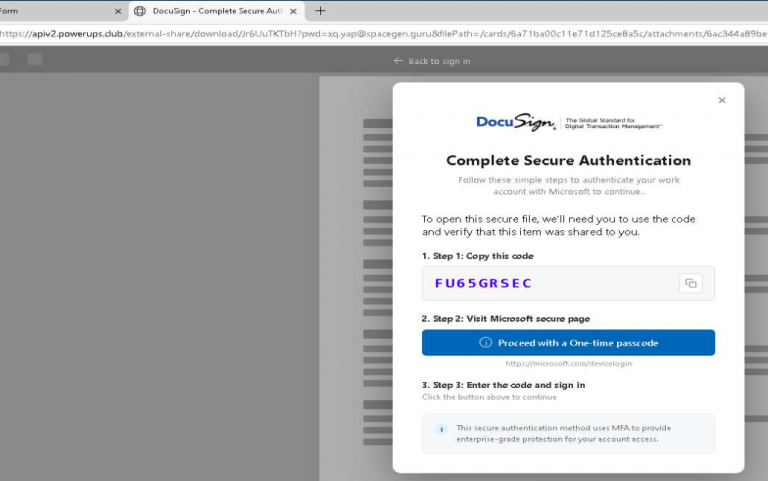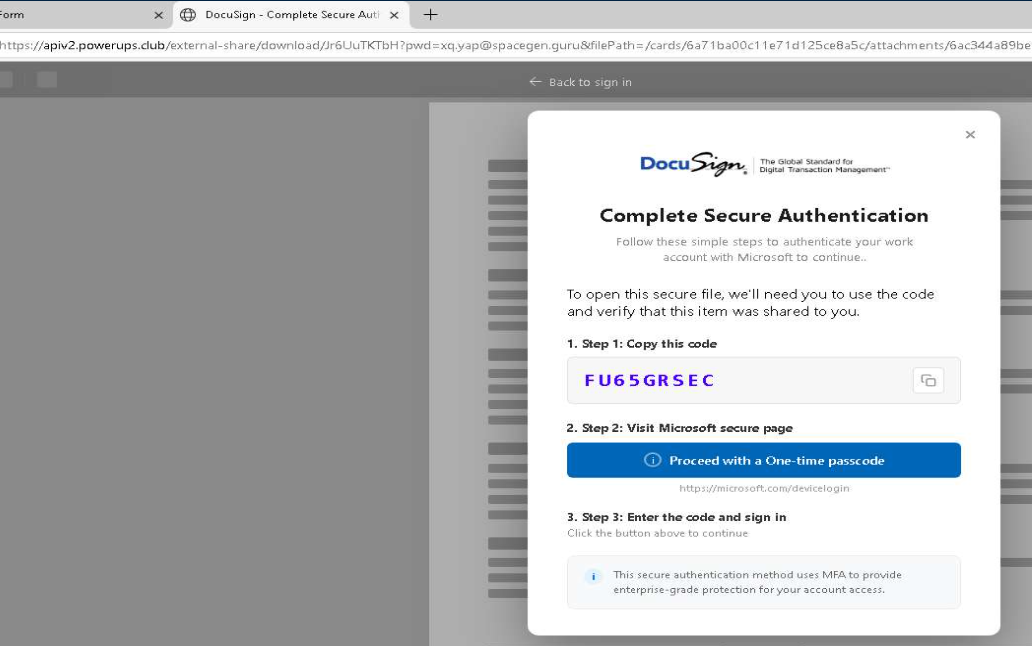
Device code phishing continues to be the most prevalent form of phishing currently observed in New Zealand, highlighting the need for organisations to strengthen their Microsoft Entra ID protections and improve detection capabilities.
Unlike traditional credential-harvesting phishing, device code attacks abuse Microsoft’s legitimate device authorisation flow to trick victims into authorising an attacker-controlled session. Once authorised, attackers can potentially access corporate resources using the victim’s authenticated session, often without needing to steal their password directly.
Prevention: Block Device Code Authentication
For organisations that do not require device code authentication, blocking the flow through Microsoft Entra Conditional Access is the strongest preventative measure.
To configure the policy:
- Sign in to the Microsoft Entra admin center with at least the Conditional Access Administrator role.
- Navigate to Entra ID → Conditional Access → Policies and select New policy.
- Under Users or workload identities, include all users where possible. Exclude emergency access or break-glass accounts and any other necessary exceptions, reviewing these exclusions regularly.
- Under Target resources → Resources, select All resources.
- Under Conditions → Authentication flows, set Configure to Yes and select Device code flow.
- Under Access controls → Grant, select Block access.
- Create the policy in Report-only mode first and review its impact to identify legitimate dependencies.
- Once validated, switch the policy to On.
Organisations that rely on device code authentication should assess legitimate use cases and alternative authentication methods before enforcing a block.
Detection: Microsoft Sentinel KQL Queries
Organisations should also monitor Entra ID sign-in and audit logs for suspicious device code activity. The following queries can help identify successful device code sign-ins and potential follow-on device registration.
1. Unsanctioned Device Code Authentications
This query identifies successful device code sign-ins over the past 30 days, excluding several common Azure command-line applications for investigation purposes.
SigninLogs
| where TimeGenerated > ago(30d)
| where AuthenticationProtocol =~ "deviceCode"
| where ResultType == 0
| where AppDisplayName !in~ (
    "Azure CLI",
    "Azure PowerShell",
    "Microsoft Azure PowerShell"
)
| project TimeGenerated, UserPrincipalName,
    AppDisplayName, AppId, IPAddress, Location,
    UserAgent, ResultType
| sort by TimeGenerated desc
2. Device Registration Following Device Code Sign-In
Attackers may register a device after successfully authenticating through a compromised account. This query correlates successful device code sign-ins with device registration audit events occurring within the following 30 minutes.
let deviceCodeSignins =
    SigninLogs
    | where TimeGenerated > ago(30d)
    | where AuthenticationProtocol =~ "deviceCode"
    | where ResultType == 0
    | project SigninTime = TimeGenerated,
        UserPrincipalName, IPAddress, AppDisplayName;
deviceCodeSignins
| join kind=inner (
    AuditLogs
    | where TimeGenerated > ago(30d)
    | where OperationName has_any (
        "Add device",
        "Add registered device",
        "Register device"
    )
    | extend UserPrincipalName =
        tostring(InitiatedBy.user.userPrincipalName)
    | project RegTime = TimeGenerated,
        UserPrincipalName, OperationName, TargetResources
) on UserPrincipalName
| where RegTime between (
    SigninTime .. (SigninTime + 30m)
)
| project SigninTime, RegTime, UserPrincipalName,
    IPAddress, AppDisplayName, OperationName
| sort by SigninTime desc
These queries are starting points for threat hunting rather than definitive indicators of compromise. Legitimate activity may trigger alerts, and the second query correlates events by username rather than proving that the same IP address or session performed both actions. Investigate results alongside IP reputation, user behaviour, application details and other available sign-in telemetry.
The Takeaway
Device code phishing remains a significant and persistent threat to New Zealand organisations. Where device code authentication is not required, blocking it through Conditional Access is a key defensive control. Pair this with Sentinel monitoring, regular review of authentication policies and prompt investigation of unusual sign-ins to reduce the risk of account compromise.